

 Image 1 of 1





Your Mac shouldn't feel like a mystery.
You shouldn't have to spend hours searching for a file, wondering what an icon does, or worrying that clicking the wrong button might create a problem.
And you certainly shouldn't need to be a computer expert just to feel comfortable using your own computer.
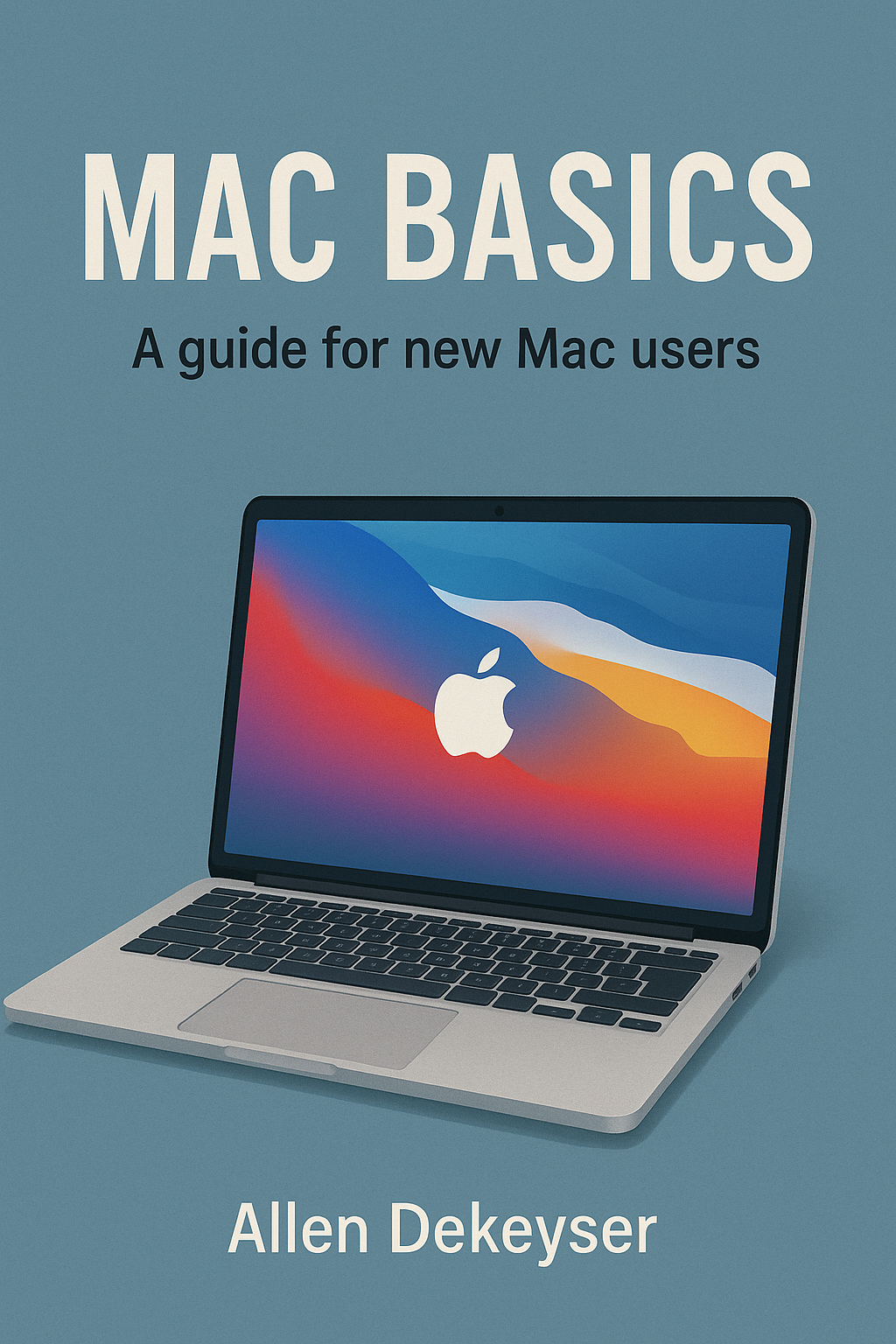
Mac Basics by Allen DeKeyser is a practical, beginner-friendly guide designed to help readers understand their Apple Mac, develop essential computing skills, and build the confidence to navigate macOS more comfortably.
Whether you've just purchased your first MacBook, recently switched from Windows, or have owned a Mac for years but never fully understood how everything works, this book offers an approachable path toward greater confidence.
For many new Mac users, the first challenge isn't necessarily the computer itself.
It's the unfamiliarity.
The buttons are in different places.
The menus behave differently.
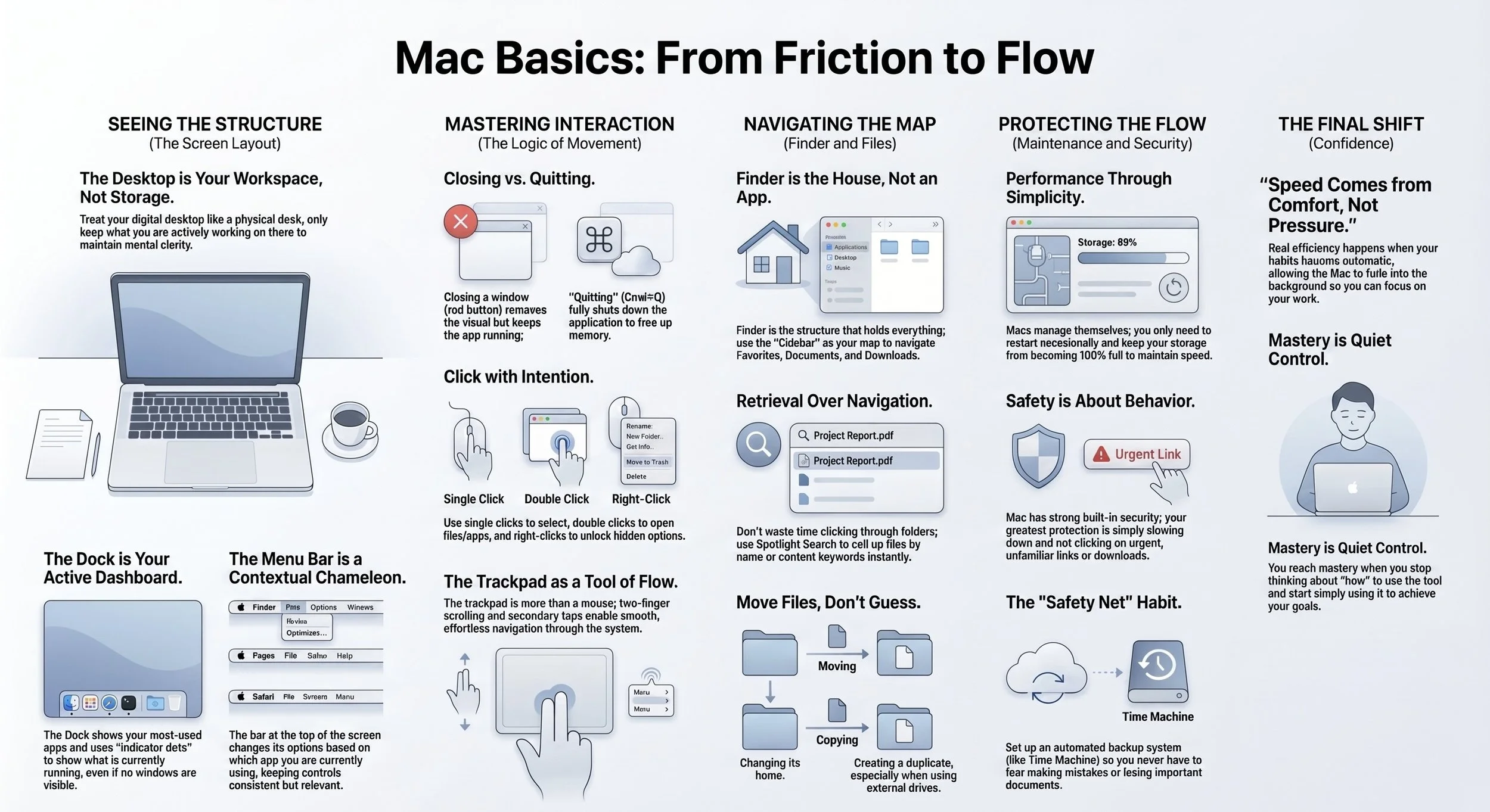
Closing a window doesn't always mean quitting an app.
Files seem to disappear into folders you don't remember opening.
And simple tasks can become frustrating when nobody has explained how the pieces fit together.
But learning to use a Mac doesn't have to be overwhelming.
In Mac Basics, Allen DeKeyser focuses on understanding how the system works instead of simply memorizing instructions.
With clear explanations, everyday examples, and a conversational teaching style, this guide helps readers recognize how their desktop, applications, windows, folders, and built-in tools work together.
Topics explored in Mac Basics include:
Understanding the macOS desktop and its basic layout.
Learning how the Dock provides access to commonly used applications.
Navigating the menu bar and understanding how menus change between apps.
Opening, closing, quitting, and switching between applications.
Understanding Finder and where files are stored.
Organizing documents, downloads, and other personal files.
Creating more consistent file-management habits.
Using Spotlight to locate applications, files, and other information.
Reducing unnecessary computer clutter and everyday confusion.
Building a smoother, more intentional workflow.
Developing confidence through practical, repeatable Mac skills.
One of the most important lessons in this book is that becoming comfortable with technology doesn't require knowing everything.
It requires understanding the fundamentals.
When you know where files belong, you spend less time searching for them.
When you understand how applications behave, switching between tasks becomes easier.
When you recognize what the Dock, Finder, and menu bar are designed to do, your computer starts feeling less intimidating.
And when these basic skills become familiar, everyday tasks can become more manageable.
Mac Basics also recognizes something many technical manuals overlook.
People learn differently.
Some readers feel comfortable exploring settings and trying new features.
Others worry about making mistakes, losing important documents, or becoming overwhelmed by unfamiliar terminology.
This guide takes an encouraging approach, explaining concepts in natural language and helping readers see that confidence grows through understanding and practice.
Rather than treating technology as something reserved for experts, Mac Basics presents it as something ordinary people can learn and use effectively.
You don't need an advanced technical background.
You don't need to memorize every shortcut.
And you don't need to master your entire computer overnight.
You can begin with the essentials, develop better habits, and become more comfortable one step at a time.
For first-time Mac owners, former Windows users, older adults learning new technology, and anyone who wants a clearer understanding of macOS, this guide provides a welcoming starting point.
Mac Basics is about more than knowing where to click. It's about understanding what you're doing, why it works, and how to use your Mac with greater confidence.
Because technology should make everyday life easier—not create unnecessary frustration.
MAC BASICS — Less Confusion. More Confidence. Make Your Mac Work for You.
Published by DeKeyser Publishing.
Your Mac shouldn't feel like a mystery.
You shouldn't have to spend hours searching for a file, wondering what an icon does, or worrying that clicking the wrong button might create a problem.
And you certainly shouldn't need to be a computer expert just to feel comfortable using your own computer.
Mac Basics by Allen DeKeyser is a practical, beginner-friendly guide designed to help readers understand their Apple Mac, develop essential computing skills, and build the confidence to navigate macOS more comfortably.
Whether you've just purchased your first MacBook, recently switched from Windows, or have owned a Mac for years but never fully understood how everything works, this book offers an approachable path toward greater confidence.
For many new Mac users, the first challenge isn't necessarily the computer itself.
It's the unfamiliarity.
The buttons are in different places.
The menus behave differently.
Closing a window doesn't always mean quitting an app.
Files seem to disappear into folders you don't remember opening.
And simple tasks can become frustrating when nobody has explained how the pieces fit together.
But learning to use a Mac doesn't have to be overwhelming.
In Mac Basics, Allen DeKeyser focuses on understanding how the system works instead of simply memorizing instructions.
With clear explanations, everyday examples, and a conversational teaching style, this guide helps readers recognize how their desktop, applications, windows, folders, and built-in tools work together.
Topics explored in Mac Basics include:
Understanding the macOS desktop and its basic layout.
Learning how the Dock provides access to commonly used applications.
Navigating the menu bar and understanding how menus change between apps.
Opening, closing, quitting, and switching between applications.
Understanding Finder and where files are stored.
Organizing documents, downloads, and other personal files.
Creating more consistent file-management habits.
Using Spotlight to locate applications, files, and other information.
Reducing unnecessary computer clutter and everyday confusion.
Building a smoother, more intentional workflow.
Developing confidence through practical, repeatable Mac skills.
One of the most important lessons in this book is that becoming comfortable with technology doesn't require knowing everything.
It requires understanding the fundamentals.
When you know where files belong, you spend less time searching for them.
When you understand how applications behave, switching between tasks becomes easier.
When you recognize what the Dock, Finder, and menu bar are designed to do, your computer starts feeling less intimidating.
And when these basic skills become familiar, everyday tasks can become more manageable.
Mac Basics also recognizes something many technical manuals overlook.
People learn differently.
Some readers feel comfortable exploring settings and trying new features.
Others worry about making mistakes, losing important documents, or becoming overwhelmed by unfamiliar terminology.
This guide takes an encouraging approach, explaining concepts in natural language and helping readers see that confidence grows through understanding and practice.
Rather than treating technology as something reserved for experts, Mac Basics presents it as something ordinary people can learn and use effectively.
You don't need an advanced technical background.
You don't need to memorize every shortcut.
And you don't need to master your entire computer overnight.
You can begin with the essentials, develop better habits, and become more comfortable one step at a time.
For first-time Mac owners, former Windows users, older adults learning new technology, and anyone who wants a clearer understanding of macOS, this guide provides a welcoming starting point.
Mac Basics is about more than knowing where to click. It's about understanding what you're doing, why it works, and how to use your Mac with greater confidence.
Because technology should make everyday life easier—not create unnecessary frustration.
MAC BASICS — Less Confusion. More Confidence. Make Your Mac Work for You.
Published by DeKeyser Publishing.